Browse all articles
Dashboard
The dashboard is the homepage for your account, giving you a single view of what is happening across your organization. Its events calendar covers holidays taken by colleagues, national holidays, birthdays, evaluations, and personal events people choose to share, and checkbox filters control which types appear. You can view it as Calendar Month, List Month, or List Week. Below it, My Activity shows your recent requests, evaluations, and uploads.
This article covers the events calendar, the ways you can view it, and the My Activity feed. The dashboard looks the same for every role, so admins, managers, HR, and employees all work with the same layout.
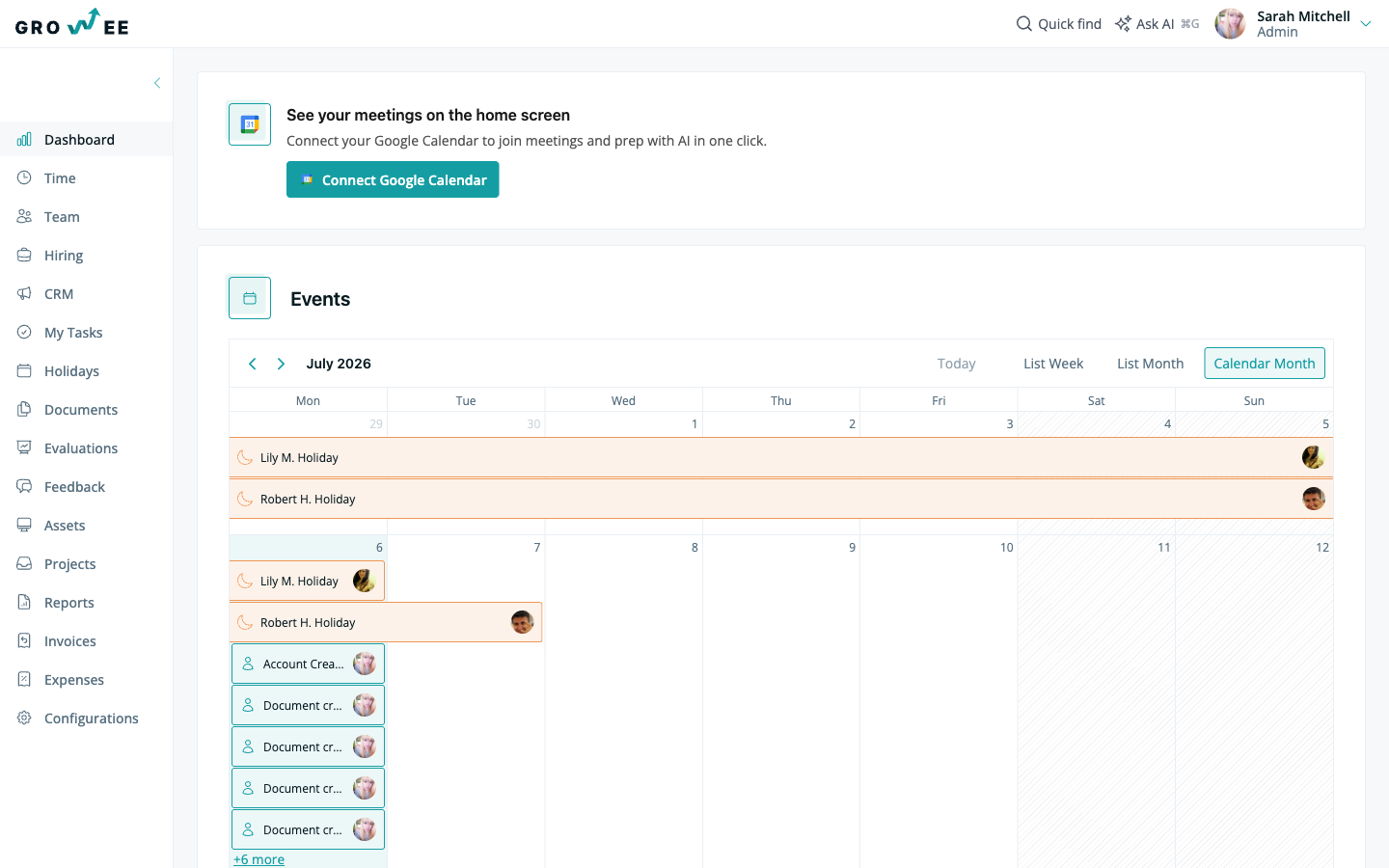
The events calendar
The calendar is a visual overview of the most important events happening in your organization. It brings several types of event together in one place:
- Holidays taken by colleagues
- National holidays
- Birthdays
- Evaluations
- Personal events that you choose to share with colleagues
Every event on the calendar is interactive. Click any event to open its details.
Tip: Use the checkbox filters to control which types of event appear on the calendar. Turn off the ones you do not need so you can focus on what matters to you.
View modes
You can look at the calendar in more than one way, depending on how much you want to see at once:
- Calendar Month is the default view and shows the full month at a glance.
- List Month lays out the same month’s events as a list.
- List Week narrows the list down to a single week.
Switch between these views at any time. The view options are the same for every role.
My Activity
The My Activity section sits below the calendar and shows your most recent activity. This includes things like your holiday requests, your evaluations, and documents you have uploaded.
Like the calendar, the items in My Activity are interactive. Click any entry to open the full details.
Related articles
Need more help? Contact support or email support@growee.net.