Browse all articles
Employee Benefits
Open the employee’s profile from the Team module, select the Benefits tab, click Add benefit, fill in the details, and save. The benefit must already exist in your company catalog, which you build under Configurations then Benefits. The benefit then appears in the tab’s table with its title, recurrence, amount, start date, and end date.
This article covers where the benefits catalog lives and how to assign a benefit to an employee. Managing the catalog is aimed at admins and HR.
Set up the benefits catalog
The catalog is the list of benefits your company offers. Set it up before you start assigning benefits so the right options are ready.
- Open Configurations.
- Go to Benefits.
- Add the benefits your company provides.
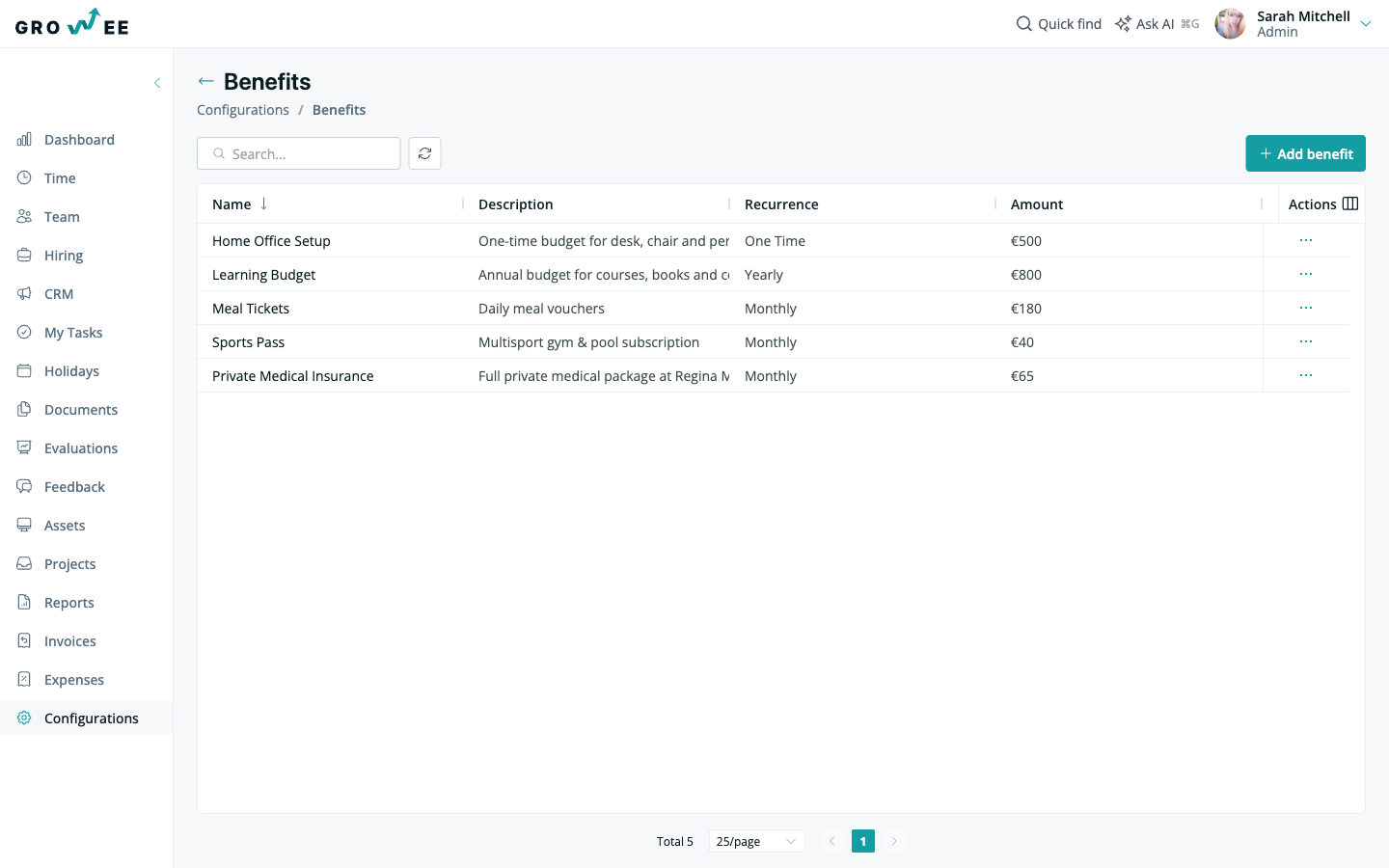
Once a benefit exists in the catalog, it is available to assign on any employee profile.
Assign a benefit to an employee
Each employee profile has a Benefits tab that lists the benefits assigned to that person.
- Open the employee’s profile from the Team module.
- Select the Benefits tab.
- Click Add benefit.
- Fill in the benefit details and save.
Assigned benefits appear in a table with the following columns:
| Column | What it shows |
|---|---|
| Title | The benefit being assigned. |
| Recurrence | How often it applies. |
| Amount | The value of the benefit. |
| Start Date | When the benefit begins. |
| End Date | When the benefit ends, if it is time-limited. |
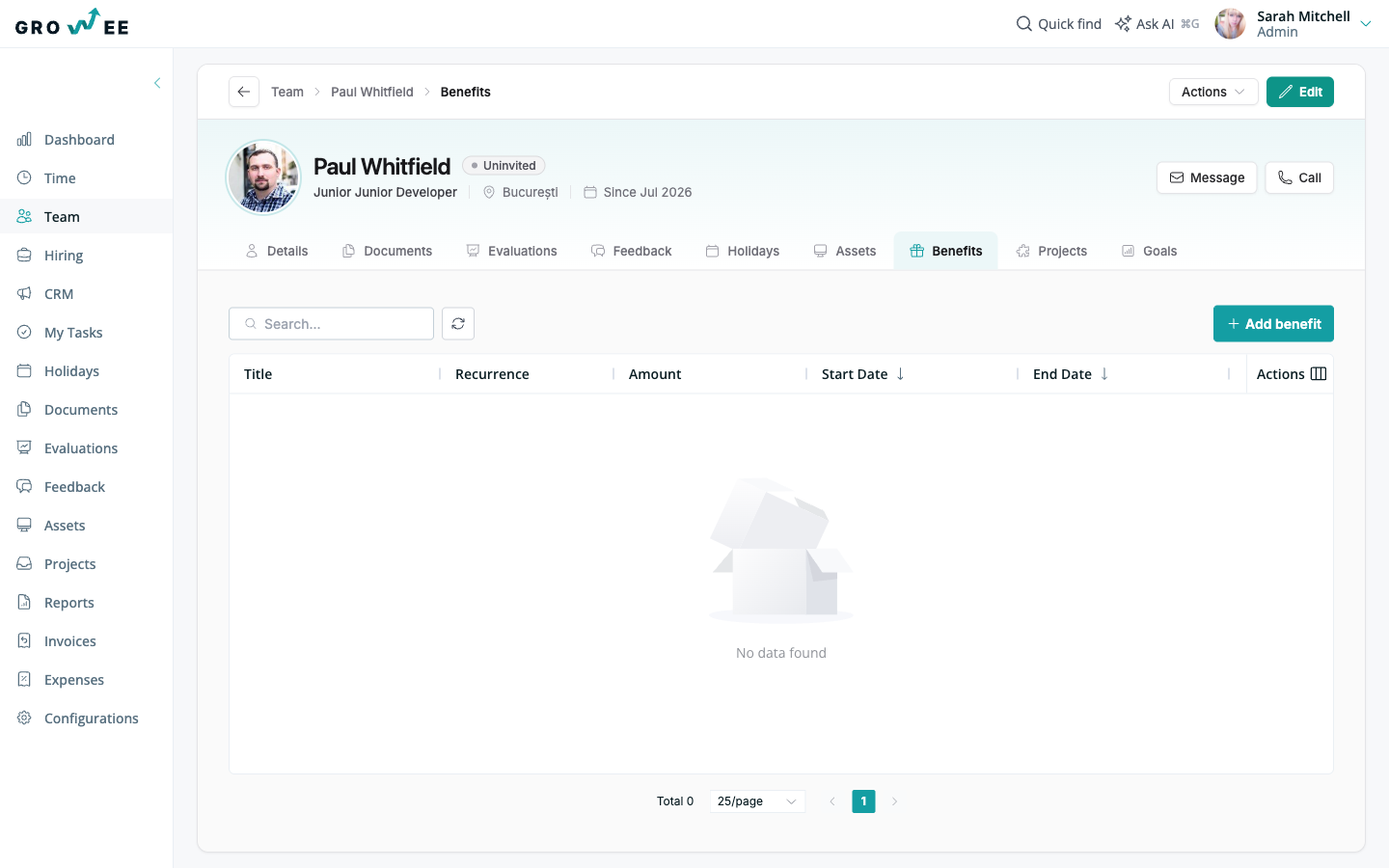
Note: When no benefits are assigned yet, the tab shows “No data found.” Click Add benefit to record the first one.
Related articles
Need more help? Contact support or email support@growee.net.