Goals your team actually follows through on
Set structured employee goals with milestones, priorities and progress tracking - right on the employee profile, next to evaluations and feedback. No separate goal setting software, no forgotten documents: team goals stay visible where performance conversations happen.
- Companies
- 200+
- Hours tracked
- 50M+
- Holidays taken
- 50,000+




From intention to achievement
Growee turns goal setting and goal tracking into a lightweight, structured habit - with milestones to track, AI to help you write, and everything living on the employee profile.
Structured goals with milestones
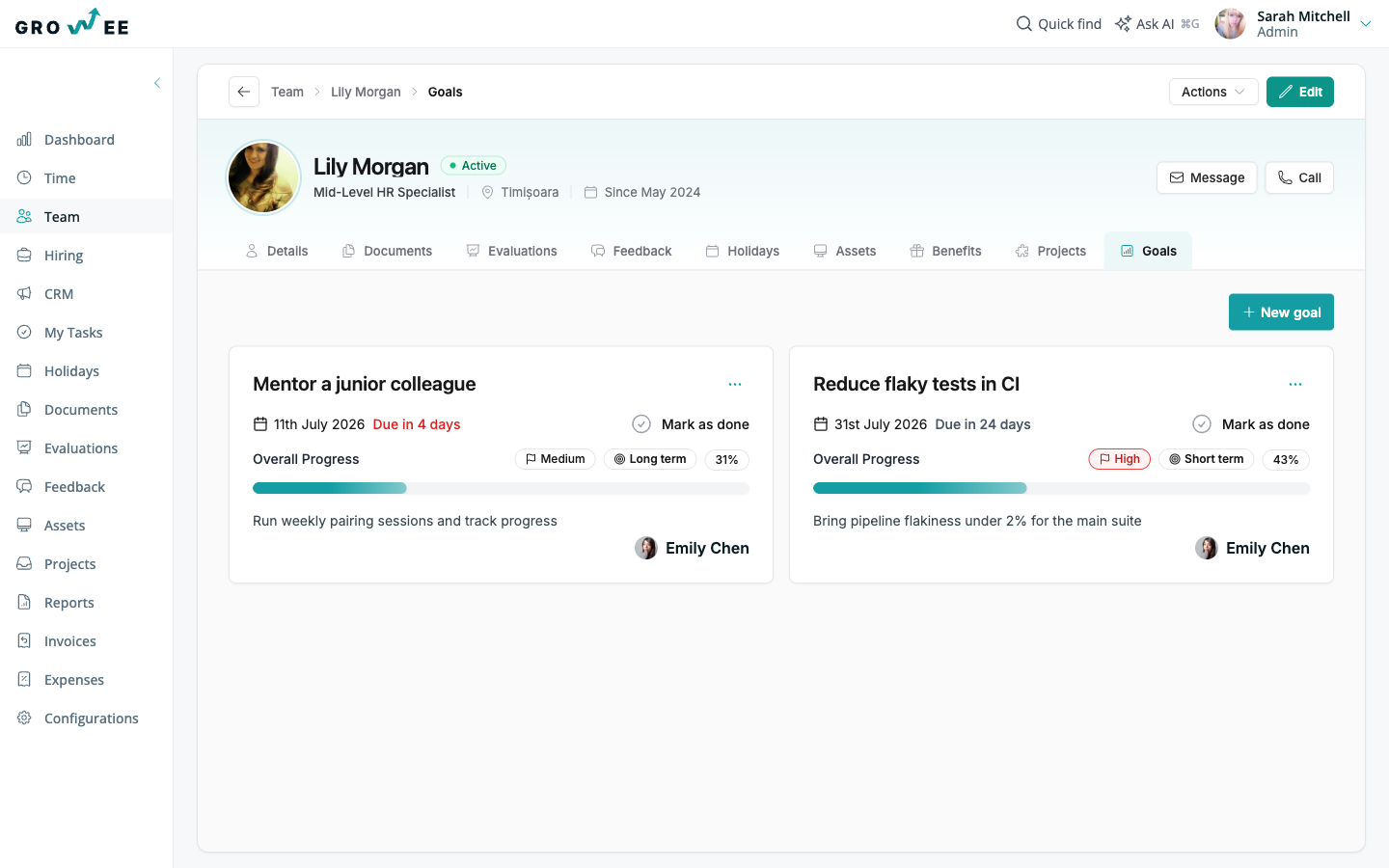
Goals in Growee are more than a line of text - each one is a structured card on the employee profile:
- Every goal has a due date, a category (Short term or Long term) and a priority: Low, Medium or High.
- An overall progress bar shows how far along each goal is at a glance.
- A milestone checklist ("2 of 3 completed") lets you tick off concrete steps as work lands.
- Mark a goal as done in one click when it's achieved.

Bring pipeline flakiness under 2% for the main suite
 Diego Navarro
Describe the goal - AI structures it
Writing good goals is hard. Growee makes it fast:
- Create goals with a rich-text description, a classification and a milestone plan.
- Or just type the goal name and let the AI generator draft the description and milestone plan for you.
- Review and adjust the AI draft before saving - you stay in control of the final goal.
- By default, the Admin, Manager, and HR roles create and track goals for any employee, and a role granted Manage goals for subordinates covers the people below it in the reporting line, keeping growth conversations concrete.
Cover the release-critical user flows with automated end-to-end tests, so every release candidate is checked in CI before it ships.
Expected outcomes
- Smoke run under 15 minutes
- No manual regression pass before a release
- Failures reported to the team the same day
Give your team goals worth chasing
Set clear goals, track milestones, and let AI handle the writing. Try Growee free for up to three employees - no credit card needed.
FAQ
Questions & Answers
What does the AI generator produce?
You type the goal name, and the AI drafts a full description plus a milestone plan for it. You can edit everything before saving - the AI gives you a strong starting point, not a locked-in result.
Who can see and edit goals?
It follows your permission setup. By default, the Admin, Manager, and HR roles see and edit every goal. A role granted the Manage goals for subordinates permission sees and edits the goals of the people below it in the reporting line, directly or further down the chain. Employees see and edit their own goals on their profile.
Can I use it as OKR software?
Yes. Goals with milestone checklists map naturally to objectives and key results: the goal is your objective, and the milestones are the key results you tick off along the way. A typical OKR example: the objective "Improve customer onboarding" with milestones like "Cut time to first value to 3 days" as key results.
Are goals connected to evaluations?
Goals live on the same employee profile alongside evaluations and feedback, so performance reviews always have full context on what was planned, what progressed, and what was achieved.
Other features
Evaluations
Schedule evaluations with email reminders to reviewers. Record salary or role changes, reflected automatically in the employee's timeline.
Explore featureEmployee management
With Growee, store personal details, salary information, and relevant documents for every employee in one place, with no extra tools.
Explore featureFeedback
Easily give feedback. Record it as audio, and Growee will automatically convert it to text.
Explore featureAI Employees
Autonomous AI agents that work on schedules and events, chat in Slack, remember what they learn, and act within your permissions.
Explore feature