Every meeting, minuted
Agendas, minutes, and action items, tied to the projects, clients, and people you already manage in Growee. No new tool, no new login, no folder of stray docs.
- Companies
- 200+
- Hours tracked
- 50M+
- Holidays taken
- 50,000+





Meeting management software that already knows your projects
Agendas, minutes, action items, and a searchable history per project and client (inside the same Growee login your team opens every day).
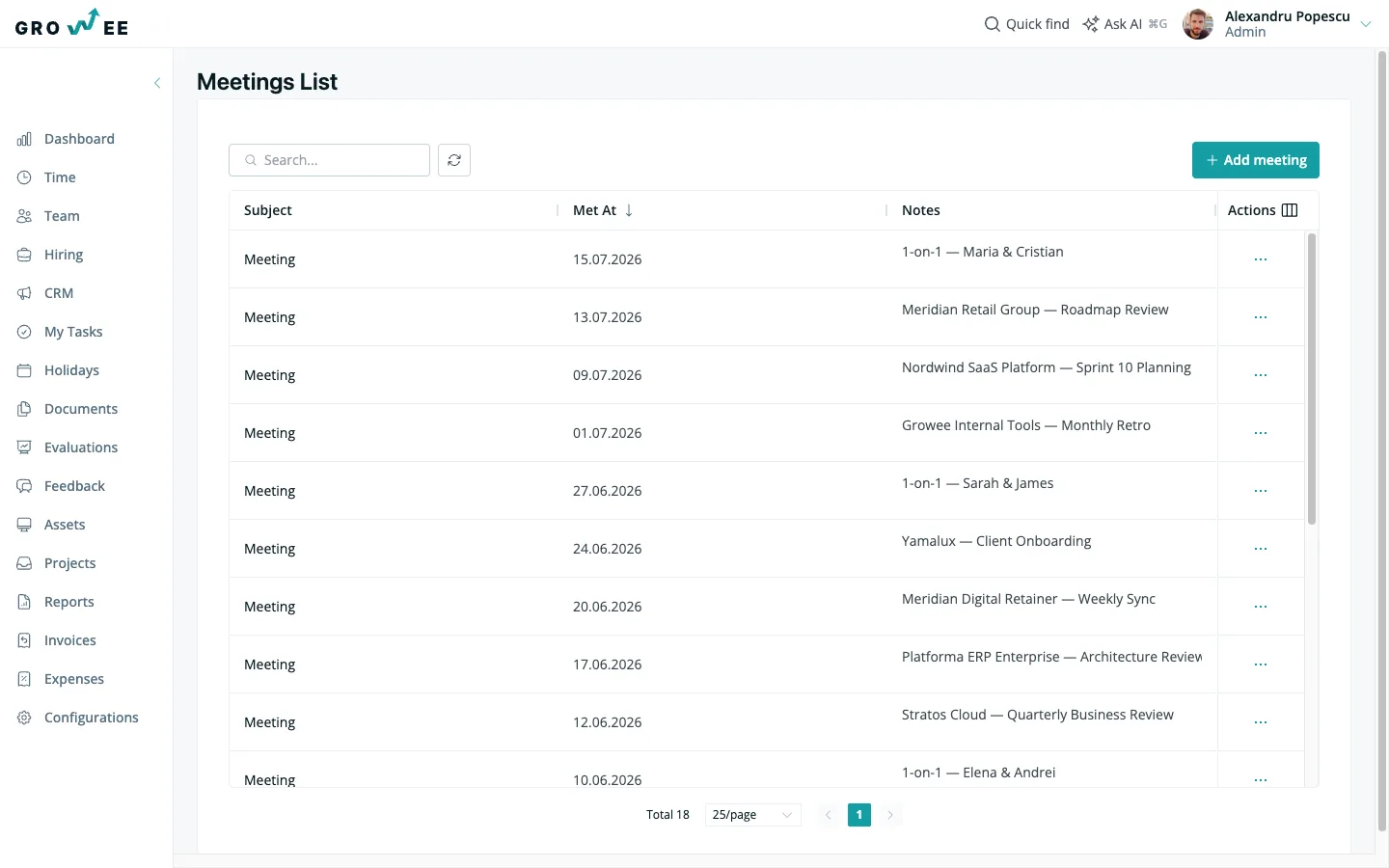
Your meetings in one list
Open Meetings and see the meetings you can access in one list: all of them if you hold Manage meetings (the Admin, Manager, and HR roles do by default), otherwise the ones you logged (no digging through docs, inboxes, or someone's notebook).
- Subject, date, and notes columns: scan what was discussed and when, without opening each one.
- Search by note text: type a name, a decision, or a keyword and jump straight to the meeting it came up in.
- Sort by meeting date: order by when a meeting happened or when it was logged, whichever you're chasing.
- One place, not five: minutes live in the same Growee your team already opens for time off and projects.
Tie every meeting to a project or client
A meeting never floats on its own. You attach it to the project or client it's about, so context is built in.
- Pick a subject when you create it: choose Client or Project, then the exact record from a dropdown.
- Meetings tab on the project: open any project and read its meetings in order: all of them if you hold Manage meetings (the Admin, Manager, and HR roles do by default), otherwise the ones you logged.
- The same tab on the client: every call with a client sits on the client record, not scattered across inboxes.
- Context that carries over: the project's scope, budget, and people are one click from the meeting notes.
A timeline of everything discussed
Each project and client gets a running timeline of meetings, newest first, so you can catch up in a scroll.
- Most recent, auto-expanded: the latest meeting opens on its own, so you land on what matters now.
- Expand and collapse each entry: click a meeting to read the full notes, click again to fold it away.
- Preview text at a glance: collapsed entries show a snippet, so you can find the right one fast.
- Infinite scroll back in time: keep scrolling and older meetings load themselves (no paging).
Open a meeting, read the whole record
Every meeting has its own page: the subject it's about, the date it happened, and the notes written up in full.
- Titled by subject: the page opens as "Meeting with" the project or client, so you always know what you're reading.
- Formatted notes in full: agenda, decisions, and follow-ups render as clean prose, not a wall of plain text.
- Edit or delete in place: the person who logged it (or anyone with manage-meetings rights) can fix it right there.
- Meeting date on the record: set when it actually took place, separate from when you typed it up.
Write the agenda and minutes in one editor
The meeting note is a rich text editor, so your agenda, minutes, and action items all live in one formatted place.
- Headings, lists, and formatting: structure an agenda up top, minutes below, and a follow-up list at the end.
- Set the subject once: choose the project or client, and the note is filed on that record, where you and anyone with Manage meetings can find it.
- Reusable as a template: paste your standing 1-on-1 or retro structure and fill it in each time.
- Editable later: reopen the same form pre-filled to tidy the minutes or add what you missed.
Turn talk into action items
The decisions and next steps you agree on go straight into the note, so nothing slips through after the call ends.
- A follow-up checklist in the note: capture who's doing what as a formatted list, right where the minutes live.
- Tied to the project: action items sit on the project's meeting record, not in a separate tracker to keep in sync.
- Found again by search: search meeting notes for an owner or a task and land on the exact commitment.
- Carried into the next meeting: the timeline keeps last time's follow-ups a scroll away when you meet again.
One-on-ones your managers can actually see
Meetings follow the same roles as the rest of Growee, so who can read a 1-on-1 note depends on the permissions each role holds.
- You see what you log: without Manage meetings, a person sees the meetings they logged.
- Managers and HR see across the company: the Admin, Manager, and HR roles hold Manage meetings by default, so they can view and edit every meeting logged in your account.
- Grant it where it fits: an Admin can add Manage meetings to a custom role, for example for an operations lead.
- No cross-company leakage: every meeting stays scoped to your tenant, the same as your HR data.
Ask what a meeting decided
Your minutes aren't a dead archive. The Growee assistant reads meeting notes the same way it reads the rest of your data, so you can ask what was agreed with a client last month, or which projects haven't had a meeting in weeks, and get an answer without opening every note.
The part that's easy to miss: meetings are queryable straight from your AI assistant through MCP, the open standard that connects AI assistants directly to your data. Read, search, and even create meeting notes from Ask AI or any connected client, always scoped to your tenant and the permissions of the person asking.
Everything you'd bolt on with a separate meeting tool, already in your HR platform
A minutes doc per meeting
Minutes live on the project record, not in a folder of one-off documents.
A separate notes app
Replaces a standalone meeting-notes tool your team has to check on the side.
1-on-1 spreadsheet templates
Reuse your 1-on-1 structure as a note, filed against the right person.
A separate action-item tracker
Follow-ups sit inside the note, tied to the project (no second tool to keep in sync).
A folder of meeting minutes
Meetings sit on the project or client they belong to, not buried in folders. You see all of them with Manage meetings, otherwise the ones you logged.
Calendar-to-notes copy-paste
Turn a Google Calendar event into a pre-filled meeting note in one click.
A second login
One account, one password, one place your team already checks daily.
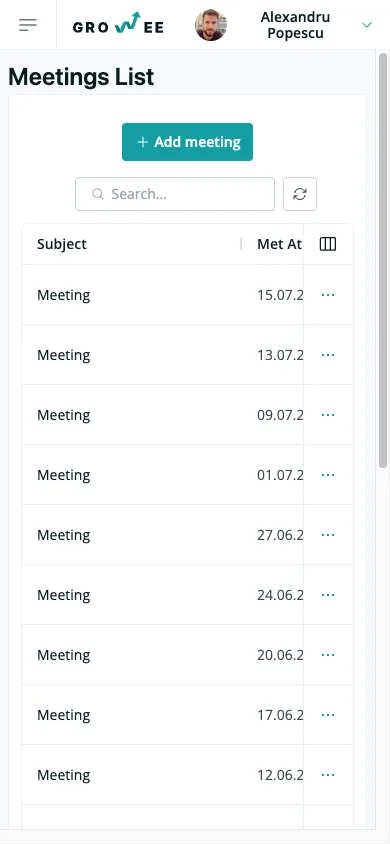
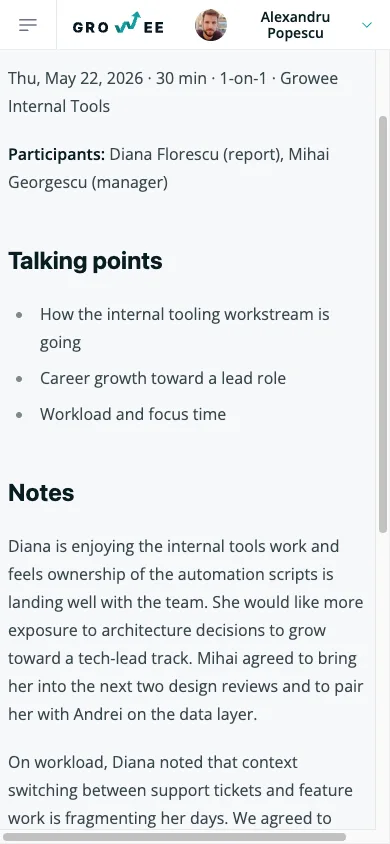
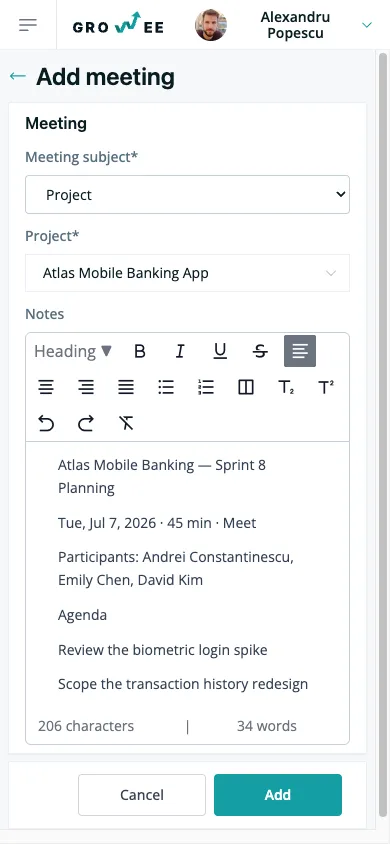
Your meeting record, on your phone
Read the timeline, open a meeting, or write up your notes on the way out of the room (no separate app to install).
Frequently asked questions
Is meeting management included in my plan?
Yes. Meetings are part of Growee, not a separate product or a separate bill. If you already have a Growee login, you'll find Meetings in the sidebar and a meetings tab on every project and client.
Where do agendas, minutes, and action items live?
All in one place. Each meeting has a rich text note where you write the agenda up top, the minutes below, and a follow-up checklist at the end. Because the note is formatted text, you can reuse a standing 1-on-1 or retro structure as a template and fill it in each time. Every note is searchable and tied to the project or client the meeting was about.
Can I link meetings to Google Calendar?
Yes. The dashboard calendar widget shows today's Google Calendar events. Pick a project and open a pre-filled meeting note in one click. The calendar event's id and title stay linked to the meeting, so you can jump back to your notes from the event later.
Who can see a one-on-one meeting?
By default, you see the meetings you logged. The Admin, Manager, and HR roles hold Manage meetings by default, so they can view and edit every meeting in your company, and an Admin can add it to a custom role. Every meeting stays scoped to your tenant, the same way the rest of your Growee data is.
Can AI read my meeting notes?
Meetings are exposed through Growee's API and MCP tools, so the Growee assistant and any connected AI client can read, search, and create them (always scoped to your tenant and the permissions of the person asking). Ask what was decided about a project last month and get an answer without opening every note.
Start minuting your meetings today
Log your first meeting in minutes (no new login, no new tool to learn).