Browse all articles
Expense Tracking
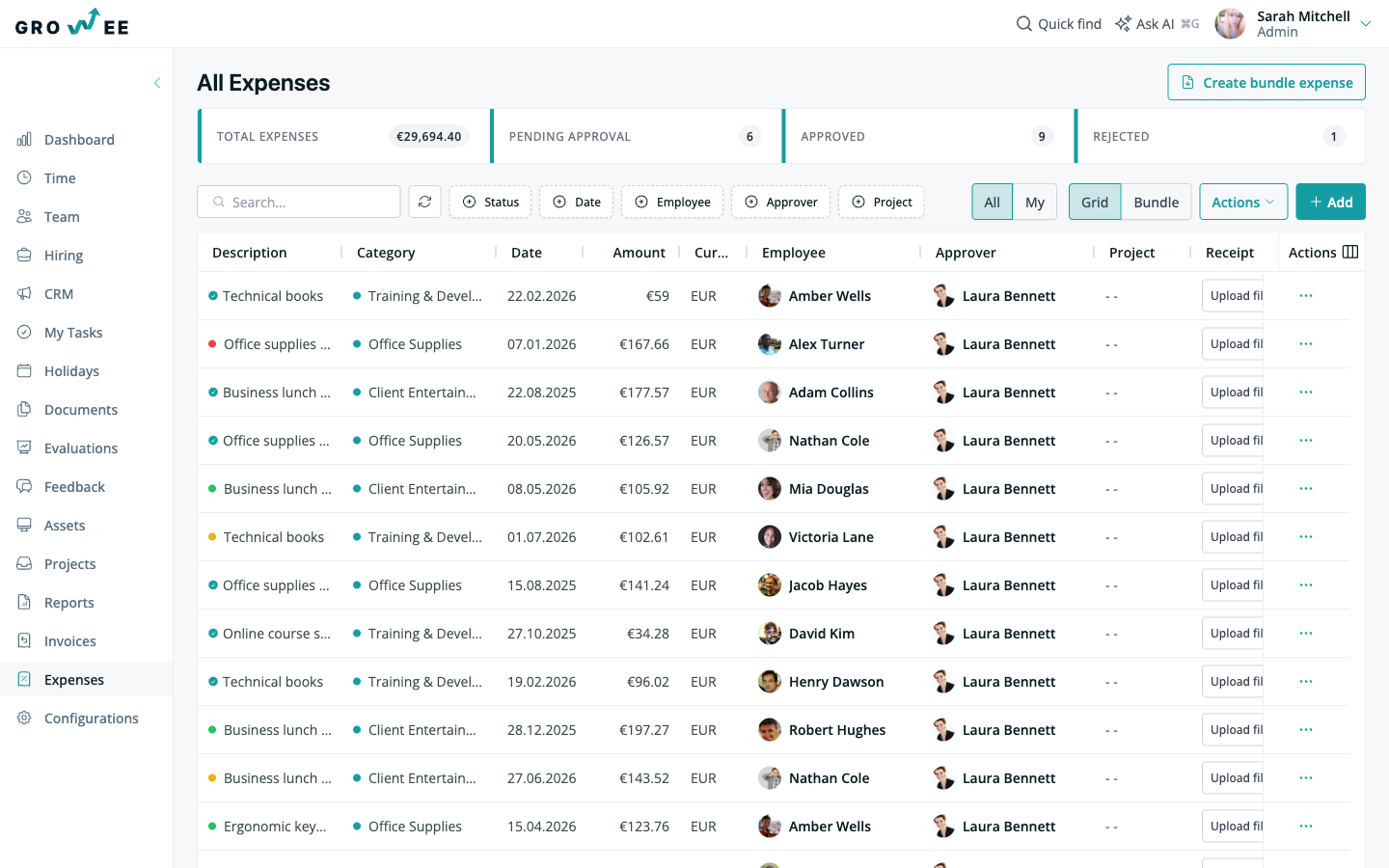
Upload a receipt as a photo or a PDF and Growee’s OCR and vision AI extract the date, amount, currency, and description, suggest a category, and let you review everything before submitting. The expense then moves from Draft to Pending approval, and on to Approved or Rejected and finally Paid. Each expense has a designated approver, and team members with the expense management permission approve, reject, and mark expenses as paid.
This overview explains what expense tracking does, what you can do with it, and where it fits alongside your projects and reports.
What it is
An expense in Growee follows a clear path from submission to payment. Statuses move from Draft to Pending approval, then to Approved or Rejected, and finally to Paid. Each expense has a designated approver, so it is always clear who decides. Status explanations and a full audit trail record who approved, rejected, or paid an expense, and when. Stats cards keep totals and pending counts visible at a glance.
AI receipt scanning
You do not have to type expense data in by hand. Upload a receipt as a photo or a PDF from your phone or desktop, and Growee’s OCR and vision AI extract the date, amount, currency, and description automatically. The right category is suggested based on what is on the receipt. You review everything before submitting, so you stay in control of what reaches your approver.
Expense bundles
Related expenses can be grouped and handled as one. Bundle the expenses from a conference trip or a project into a single submission, and one approval covers the whole bundle instead of a back-and-forth over individual receipts. You can generate a Word expense report for a bundle, and a zipped archive of all the receipts is emailed, ready for accounting.
Categories, currencies, and project costs
You can define your own expense categories with colors, matched to how your company spends. Amounts in foreign currencies are converted to your base currency at the day’s exchange rate, so totals stay consistent. Expenses can also be allocated to projects, which keeps project profitability accurate by feeding real costs into project financials.
Who can do what
Employees manage their own expenses. Team members with the expense management permission can approve, reject, and mark expenses as paid. Because each expense has a designated approver, responsibility for every decision is recorded.
Related articles
Need more help? Contact support or email support@growee.net.