Invoices born from your billable hours
Growee issues client invoices inside the same system that holds the employee, the logged hours and the project cost. An invoice carries lines, payments, a full history, a tax field, late marking and automatic payment reminders. Romanian e-Factura is the only statutory e-invoicing integration; there is no US tax filing surface. Invoicing is part of the platform, not a separate product.
- Companies
- 200+
- Hours tracked
- 50M+
- Holidays taken
- 50,000+





From logged hours to a sent invoice
Four steps. The draft is built from the hours your team logged against a client and a project, not from a separate approved total, so billing never waits on a sign-off queue.
- 1
The hours arrive with a rate
When someone logs time, Growee stamps that row with the billed hourly rate for them on that project, falling back to the rate on their employee record when the project sets none. The rate travels with the row, so the invoice never has to guess what an hour was worth.
- 2
Pick client, project and period
The tracked-time screen asks for logged rows grouped by employee, project or task, filtered by client, by project and by a date range. No approval status narrows that request: approved time is a separate total the invoice draft never reads.
- 3
The draft writes itself
Each grouped row becomes one line. Quantity is the logged minutes divided by 60, the line total is what those hours bill at, and the unit price is the total over the hours. Edit the quantity, the rate or the description on any line before you send it.
- 4
Send it, then let it chase
Sending emails the invoice, with the PDF attached when you ask for it, and moves it to sent. It flips to late on its own once the due date passes, takes full or partial payments against the balance, and a daily job emails reminders on the schedule you set until it is paid.
That chain is the month-end routine of a service business, which is why it has its own page: HR software for agencies follows it from the employee record through the project to the client invoice.
Client invoicing sits on the paid plan. The free plan covers up to three people for records, leave and time tracking; invoicing switches on when you upgrade, with the numbers on pricing.
Bill for the work, right where you track it
Invoicing that starts from the hours your team logged against a client and a project: draft, send, chase and file, all inside the same Growee login they open every day.
Invoices born from billable hours
The time your team already logs becomes the invoice, with no re-keying of hours into a separate tool.
- Generate from logged hours: the draft turns each grouped row of logged time into a line item, with the billed rate already applied. It reads the hours your team logged, not a separate approved total.
- Pick the billing period: choose daily, weekly, monthly, or a custom date range, and Growee aggregates the hours for exactly that window.
- Client and project linked: the invoice carries the client and project it came from, so time-and-materials work stays traceable back to the tracked hours.
- Edit before it goes out: adjust quantities, rates, or descriptions on any generated line before the invoice leaves draft.
Build and send an invoice in minutes
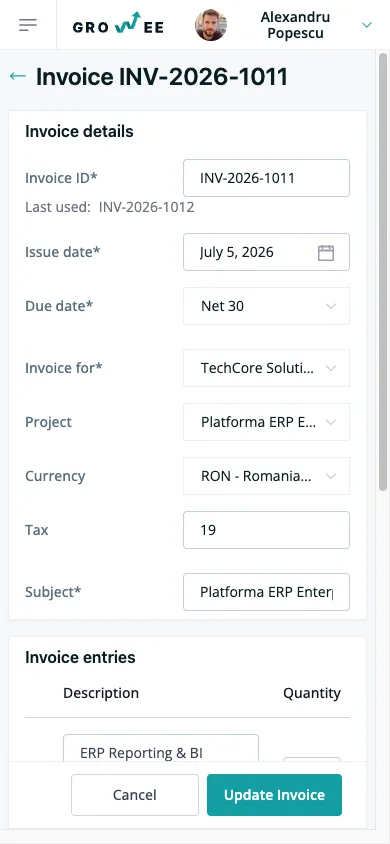
A clean form for the invoices that don't start from hours: retainers, fixed-price milestones, licenses.
- Line items that total themselves: enter a description, quantity, and unit price. Growee multiplies and sums, then adds tax separately from the subtotal.
- Client required, project optional: attach a project and Growee checks it belongs to the client, so nothing gets billed to the wrong place.
- Send by email with the PDF attached: set the subject, body, and reply-to address, choose whether to attach the PDF, and send to one recipient or several.
- Duplicate the recurring ones: replicate an invoice to get a fresh number and a due date reset to thirty days out, line items copied across.
The full invoice, with a history you can trust
Open any invoice and see not just the document, but everything that has happened to it.
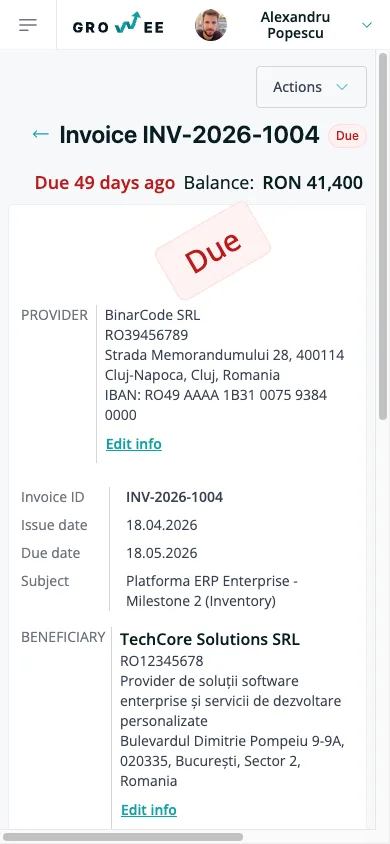
- The whole layout in one view: status, line items, subtotal, tax, total, and the running balance after any payments.
- An audit log of every change: created, updated, sent, reminder sent, paid, and even seen by the recipient (each with who and when).
- Every action within reach: send, mark as paid, replicate, share, or download the PDF from the buttons on the detail view.
From draft to paid, tracked automatically
Each invoice moves through the same clear lifecycle, and Growee updates the status for you.
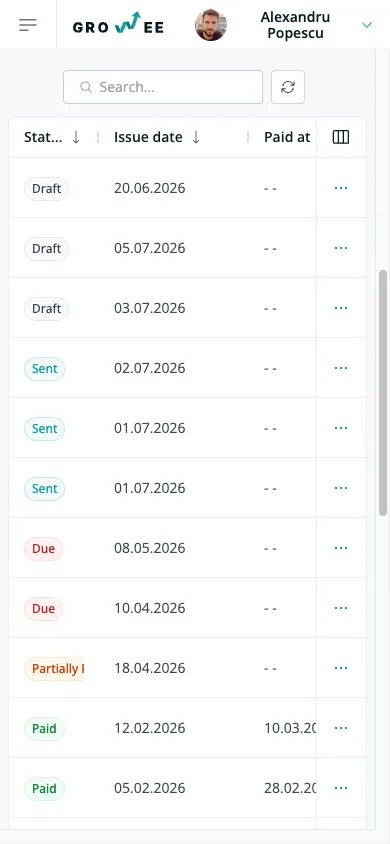
- A status for every stage: draft, sent, late, partially paid, and paid, so you always know where an invoice stands at a glance.
- Late marked on its own: an unpaid invoice flips to late the moment its due date passes. No one has to remember to check.
- Record partial or full payments: log a payment with its date and amount, and Growee tracks the paid amount and remaining balance until it's settled.
- Marked paid when it's covered: once payments reach the total, the invoice moves to paid automatically.
Stay on top of what you are owed
One searchable list of every invoice, plus reminders that chase overdue clients without you.
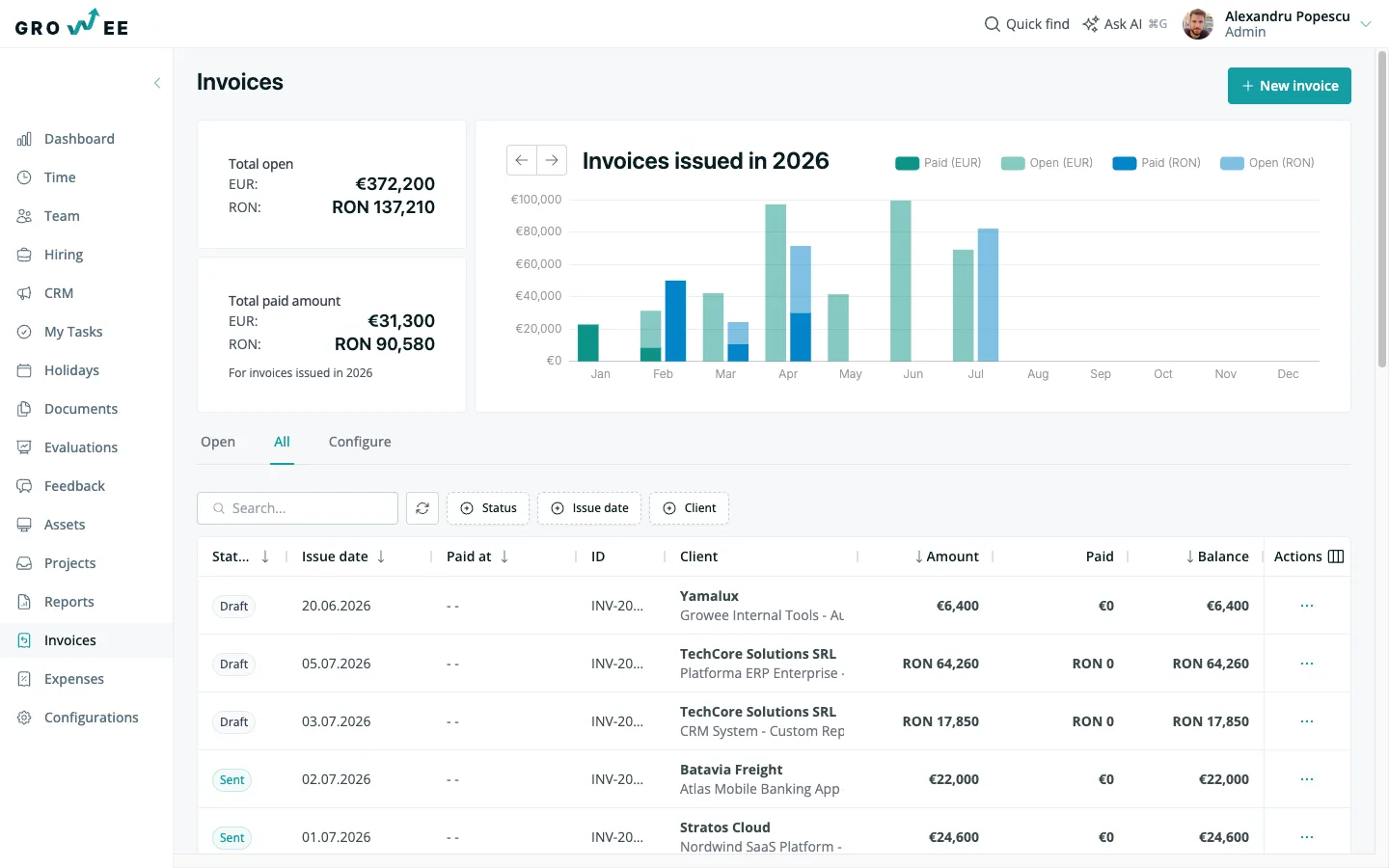
- Filter and sort the whole ledger: narrow by client, project, status, or date range, and sort by total, issue date, or due date to work the list your way.
- Paid versus unpaid at a glance: the dashboard totals what's settled against what's still outstanding, with a yearly chart of invoiced revenue by month.
- Reminders on a schedule: after the due date, Growee sends payment reminders on the interval you set, and stops once the invoice is paid.
- Opt out per invoice: turn reminders off for a specific client or invoice when a personal follow-up makes more sense.
Romanian e-Factura, built in
For clients in Romania, Growee turns an invoice into a compliant e-Factura submission. No separate portal juggling.
- UBL 2.1 XML from your data: generate the standard e-Factura XML directly from the invoice. Supplier, client, line items, and taxes mapped for you.
- Validated before it's sent: Growee checks the XML against the ANAF schema first, so you catch problems before the upload, not after.
- Upload straight to ANAF: connect once with OAuth and push the validated XML to the ANAF SPV endpoint from inside Growee.
- Test the connection first: confirm your ANAF link works before you rely on it for a real filing.
Branded PDFs, ready to send
Every invoice renders as a clean PDF with your company's details, generated on demand.
- Your logo and address up top: upload a logo and set your company address once in settings, and it appears on the header of every PDF.
- Templates for the repetitive parts: default tax percentage, due days, email subject, and notes are set once and reused on every new invoice.
- Download or attach on send: grab the PDF from the invoice, or attach it automatically when you email the invoice out.
Share a link, get paid faster
Send clients a link to their invoice instead of a lost email attachment, and know when they open it.
- A public link, no login: generate a shareable link with a unique token that opens a client-facing view of the invoice.
- Download built in: the client can download the PDF straight from the shared page, with nothing to install or sign up for.
- You'll know it was seen: when the shared invoice is viewed, Growee logs a seen event on its history, so a chase is an informed one.
Where e-Factura stops
Romanian e-Factura through ANAF is the only statutory e-invoicing integration Growee ships. It is not general e-invoicing for other countries, and there is no US tax filing surface. Everywhere else, you invoice in Growee and file the way you already do.
One more boundary, while we are being plain about scope: Growee does not run payroll. It holds the employee, the hours, the project cost and the client invoice; the payslip stays with your payroll provider.
Invoice from a conversation
Ask Growee's AI to draft an invoice for a client, mark one as paid, or tell you what's overdue this month. It works with your real invoice data, not a copy of it.
The part that's easy to miss: your invoices, line items, and history are queryable straight from your AI assistant through MCP, the open standard that connects AI assistants directly to your data. Create an invoice, generate the e-Factura XML, or check a client's balance from the same chat, without opening the app. It's less an assistant bolted on, and more a billing clerk that already knows your ledger.
Everything you'd wire together with a separate invoicing stack, already in your HR platform
Standalone invoicing app
Create, send, and track invoices without a separate billing tool.
e-Factura submission service
ANAF-compliant XML, validated and uploaded from inside Growee.
Time-to-billing export
Tracked hours become line items. No CSV shuffle to an invoicer.
PDF template tool
Branded PDFs with your logo and defaults, generated on demand.
Dunning and reminders
Payment reminders go out on schedule and stop when it's paid.
Multi-currency add-on
Bill in EUR, RON, USD, and a dozen more, no extra tier needed.
A second login
One account, one password, next to the hours you're billing for.
Invoicing that fits in your pocket
Check what's owed, open an invoice, or send a new one from wherever you are. No separate app to install.
Frequently asked questions
Is there HR software that also generates client invoices from logged timesheets?
Growee does. On the tracked-time screen you pick a client, optionally a project, a grouping and a date range, and the draft turns each grouped row of logged hours into a line item: quantity is the logged minutes divided by 60, and the line total is what those hours bill at. It reads the hours your team logged rather than a separate approved total, so an invoice is never waiting on a second sign-off. Client invoicing sits on the paid plan. The click-by-click version is in creating invoices.
Timesheet, approval, invoice, chase payment: does one tool cover that chain?
Growee covers all four, and it keeps approval out of the billing path on purpose. Hours are logged against a client and a project and can be approved, which feeds the approved-time totals in reporting, but the invoice draft reads the logged hours, so billing is not blocked behind an approval queue. The invoice then goes out by email with its PDF attached, flips to late by itself once the due date passes, records full or partial payments against the balance, and a daily job emails payment reminders on the schedule your company set until it is paid. See managing invoices.
Does any HR vendor actually invoice, or do they stop at time tracking?
Growee invoices. The employee, the client, the project, the logged hours, the billed rate and the invoice sit in one schema, so the invoice is built from the same rows the timesheet wrote instead of a CSV handed to a billing tool. Two boundaries are worth stating: Growee does not run payroll, and Romanian e-Factura through ANAF is the only statutory e-invoicing integration it ships. For who stops where, see CRM with invoicing.
Send your first invoice today
Turn this month's tracked hours into an invoice in minutes. No new login, no new tool to learn.