Browse all articles
CRM Overview
The CRM runs your sales and outreach inside Growee. You group leads into campaigns, move each one through a pipeline board of stages, and log every email, call, and meeting on the lead. Organizations gather contacts under the company they belong to, offers go out for electronic signature, and automation rules handle routine follow-ups.
This overview explains what the CRM covers and where to find each part. It is for owners, managers, and anyone on the team who works with leads and outreach.
Campaigns and leads
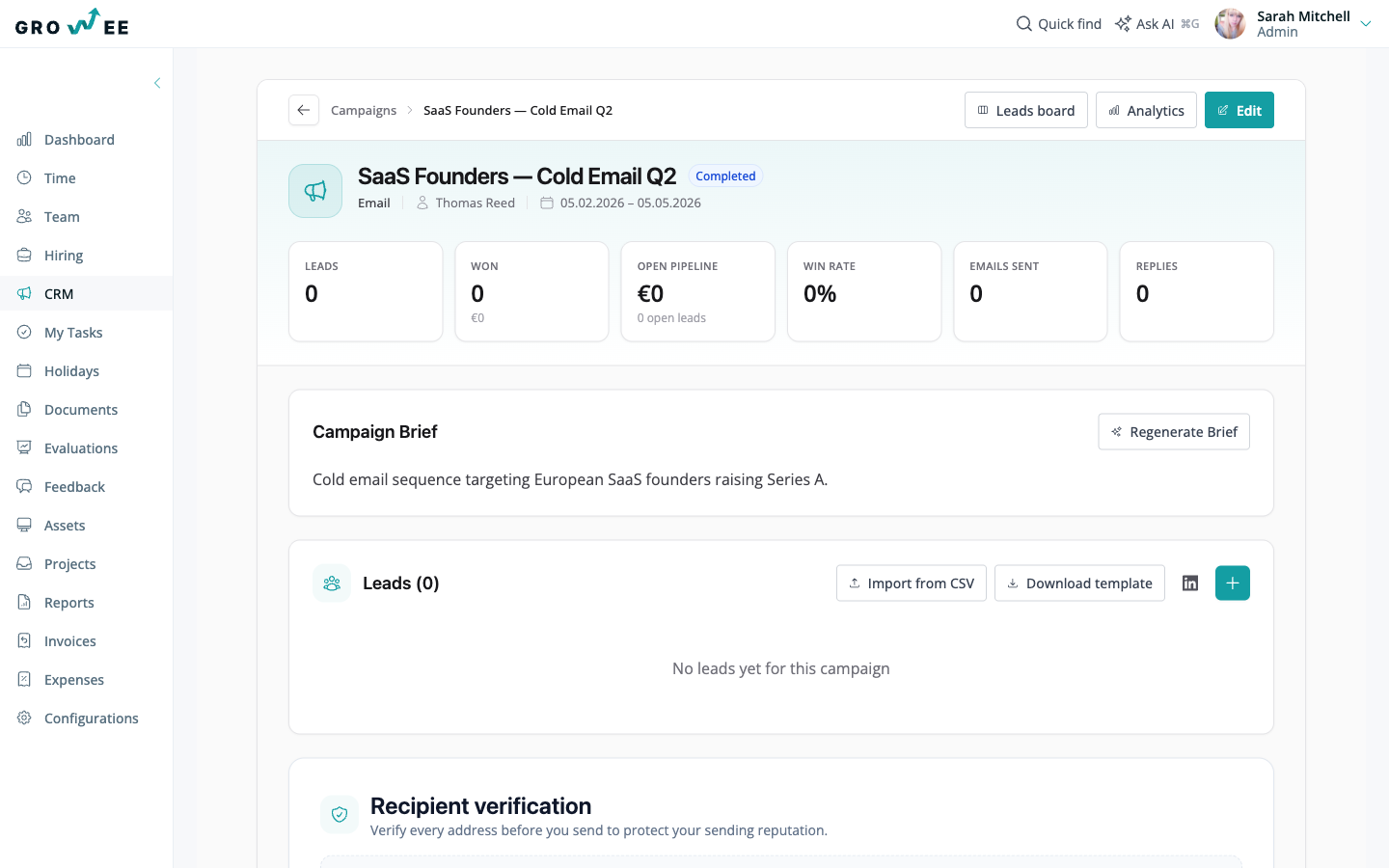
A campaign groups a set of leads around one outreach effort, such as a cold email push or a partnership drive. Each campaign has an owner, a channel such as email, a date range, and a brief that describes its goal and audience. The campaign page opens on a dashboard of key numbers: total leads, won deals, open pipeline value, win rate, emails sent, and replies.
Leads move through a pipeline you see as a board. Each stage is a column, and you drag a lead from one stage to the next as the deal progresses. Every campaign gets its own set of stages, so an outbound pipeline and a partnership pipeline can look different. You can add leads by hand, import them from a CSV file, or pull them in from LinkedIn.
Open any lead to see its full detail: expected revenue, close date, and win probability, plus a timeline of emails, calls, meetings, and other touches, along with notes and follow-ups.
Organizations, offers, and support
Organizations group your contacts and leads under the company they belong to, with a shared timeline and a document library that rolls up everything logged across the account. See Organizations and Contacts.
A beta inbox and ticketing workspace files inbound email onto the right record automatically and lets your team run support conversations without leaving Growee. See Inbox and Tickets.
Offers let you build a branded, line-itemed quote for an organization and send it out for a legally binding electronic signature, with the signed copy stored back on the account. See Offers and E-Signatures.
Tasks, email, and automation
Follow-ups you set on a lead show up in My Tasks, so the whole team can see what is due without hunting through campaigns. You can connect a sending mailbox so email goes out from Growee and replies are logged back to the right lead. Automation rules react to changes in your pipeline, such as a new lead or a stage change, and can assign owners or create follow-ups for you.
AI in the CRM
The CRM uses AI to cut busywork. It scores each lead for fit and explains why, drafts campaign briefs, and writes messages tuned to where a lead sits in the pipeline. CRM data is also available to the Growee AI assistant, so you can ask about your pipeline in plain language. See AI Features.
Where to find it
Open the CRM module from the main navigation to reach your campaigns and the leads board. The module’s own tabs, Organizations, Campaigns, Offers, Inbox (Beta), Tickets (Beta), and My Tasks, keep accounts, outreach, quotes, and support side by side without adding new sidebar items. The My Tasks tab collects your follow-ups. Email and automation settings live under Configurations.
Related articles
Need more help? Contact support or email support@growee.net.