Turn leads into clients
Run your whole pipeline (leads, campaigns, deals, and follow-ups) right where you already track time off and payroll. No new tool, no new login, no extra spreadsheet.
- Companies
- 200+
- Hours tracked
- 50M+
- Holidays taken
- 50,000+





Run your whole pipeline where you already work
A simple CRM for small teams: leads, campaigns, deals, forecasting, and follow-ups, inside the same Growee login your team opens every day.
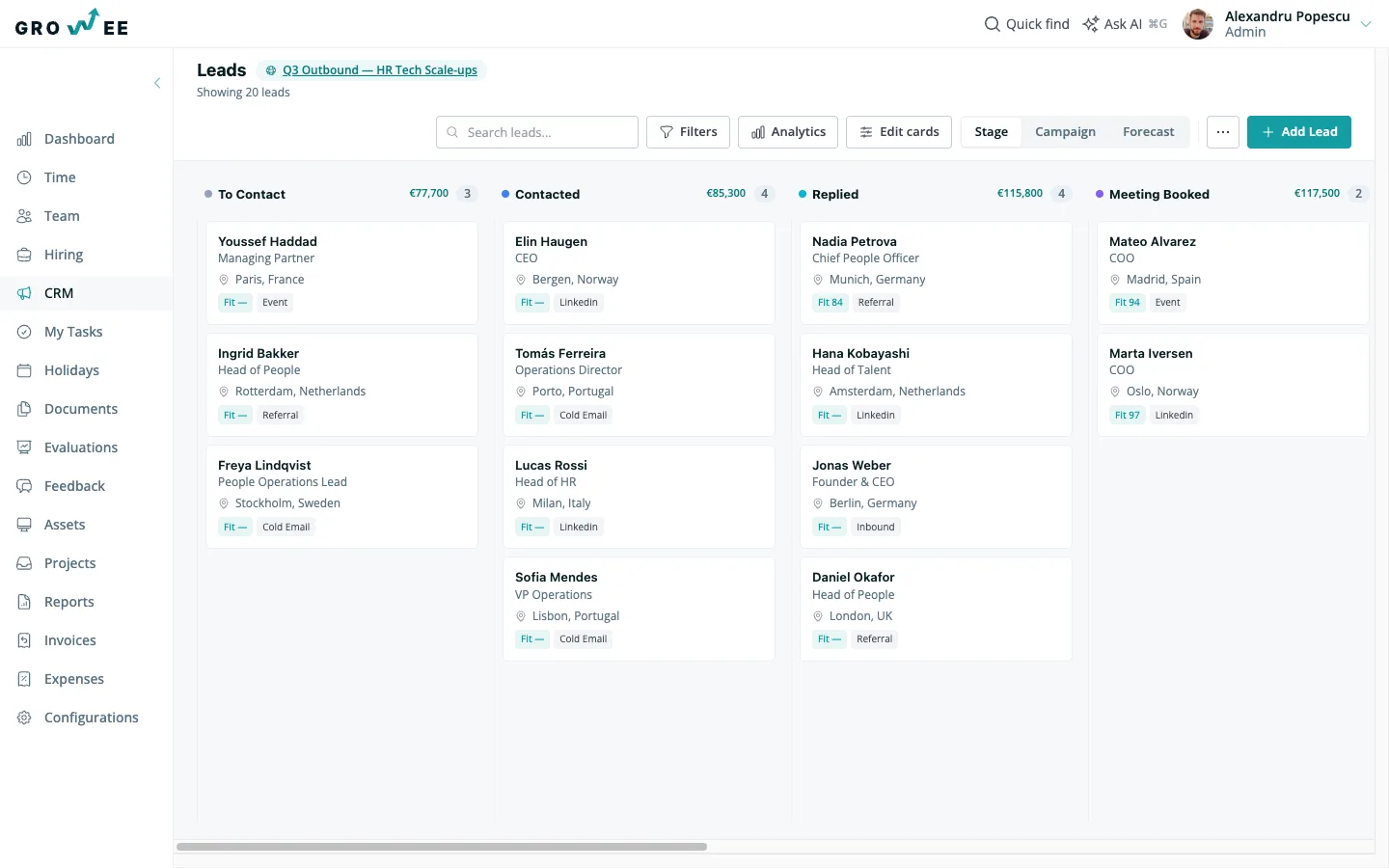
See every deal at a glance
Your pipeline lives on one board, organized the way your team actually sells.
- Per-campaign stages: each campaign gets its own stage set, cloned from a template, so a partnership pipeline never looks like a cold-outreach one.
- Drag-and-drop movement: move a lead from Contacted to Proposal Sent in one drag (no dropdown menus, no status forms).
- Configurable card fields: choose what shows on each card (deal size, next follow-up, owner) so the board answers your first question before you click in.
- Filter, search, table view: filter by owner, campaign, or stage, search by name, or switch to a table for bulk review (all on the same data, no page breaks).
Everything about a lead, one click away
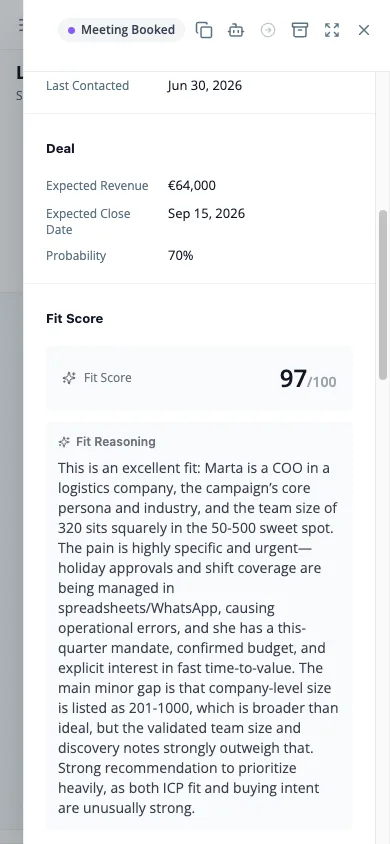
Click any card and the full picture opens beside it: no new tab, no separate CRM to lose track of.
- Inline-edit deal details: update expected revenue, close date, and probability right in the drawer. Probability starts from an AI fit score until you adjust it.
- One timeline, every channel: emails, calls, meetings, LinkedIn touches, and WhatsApp messages, logged in the order they happened.
- Notes and follow-ups: leave a note, set a follow-up date, and it lands where your team already checks what's due today.
- Copy for AI: grab a clean summary (contact, deal, history) to paste straight into an AI conversation.
Let AI do the pipeline busywork
Growee's AI reads your leads the way a good rep would, then does the typing.
- Fit scoring with reasoning: every lead gets a score and a plain-language reason, so you know which ones to call first and why.
- One-click LinkedIn enrichment: pull a contact's role, company, and background into the lead without opening another tab.
- AI campaign briefs: describe the campaign once and get a brief that keeps every message on strategy.
- Personalized messages per stage: AI drafts the right message for where a lead sits in the pipeline, ready to send or tweak.
Run campaigns without a separate tool
A campaign in Growee is a brief, a pipeline, and a message cadence, connected from day one.
- Briefs set the strategy: write the goal and audience once, and it guides every AI-drafted message that follows.
- Per-stage message cadence: set what gets sent automatically at each stage, with per-lead overrides when one deal needs a different touch.
- Every channel, one place: email, LinkedIn, calls, and WhatsApp tracked against the same campaign.
- Linked projects for context: connect a campaign to a project so the AI drafts with the real scope in mind, not a guess.
Know what's coming before it closes
Every stage carries its own revenue total, so the board doubles as a running forecast.
- Revenue totals per stage: see the value sitting in each column without opening a report.
- Forecast grouping mode: drag a card onto a month to re-forecast when you expect to close it (no spreadsheet required).
- Prorated pipeline value: revenue automatically weights by probability, so the number you see is the number you can plan around.
Read your pipeline at a glance
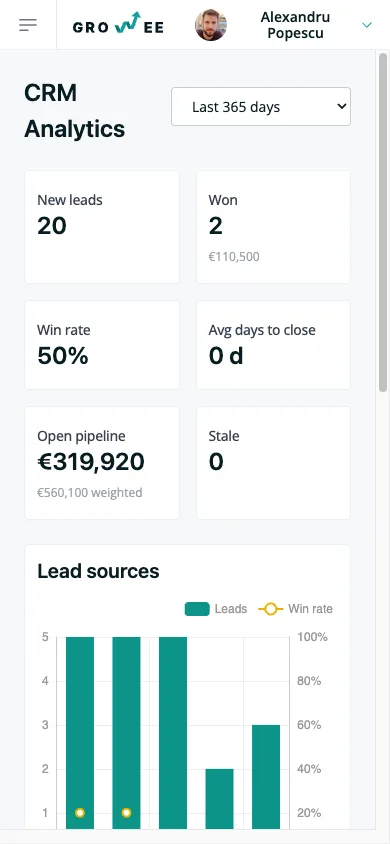
A dashboard built from the same data as your pipeline: no export, no separate reporting tool.
- KPI row up top: win rate, days-to-close, and pipeline value, updated in real time.
- Funnel and source attribution: see where deals drop off and which campaigns actually bring in clients.
- Lost reasons, revenue trend: track why deals slip away and watch won revenue move over time.
- A needs-attention table: stale leads surface automatically, so nothing sits untouched for weeks.
Every email logged, automatically
Send from the lead drawer or a campaign, and every reply finds its way back without anyone forwarding it.
- Compose from the drawer: write and send without leaving the lead you're working on.
- Campaign sends at scale: send a cadence step to every lead in a stage in one action.
- BCC ingest for replies: BCC one address on any thread and Growee logs the reply to the right lead's timeline automatically.
Set the rule once, skip the busywork forever
Automation rules watch your pipeline and act the moment something changes.
- Triggers that matter: a lead created, a stage change, a lead gone stale, or a reply that just came in.
- Conditions before action: narrow a rule to a campaign, a value, or a source so it only fires when it should.
- Actions that save clicks: round-robin assignment, AI scoring and enrichment, or a follow-up created automatically.
Nurture leads while you focus elsewhere
A drip sequence keeps following up automatically, in your voice, until a lead replies.
- Per-stage delays: space out messages by days, not guesswork, so leads never feel rushed or forgotten.
- AI-personalized auto-sends: each message goes out written for that lead, sent as the lead's owner.
- Stop on reply: the moment a lead responds, the sequence stops (no awkward follow-up after they've already answered).
- Budgets, pause, resume: cap how many sends go out and pause a sequence whenever you need to.
Bring your leads with you
Switching in doesn't mean starting over. Your existing leads come with you.
- CSV import template: map your spreadsheet columns once and import the rest in bulk.
- LinkedIn profile import: turn a LinkedIn profile into a lead without retyping a thing.
- Convert to client: when a deal closes, carry its history and custom fields straight into the client record.
Your pipeline has a second brain
Growee's AI doesn't sit beside your CRM. It reads every lead, deal, and campaign directly. Fit scores come with reasoning, not just a number. Enrichment, campaign briefs, and stage-by-stage messages all draw from the same data, in real time.
The part that's easy to miss: every CRM entity is queryable straight from your AI assistant, through MCP, the open standard that connects AI assistants directly to your data. Ask which deals are stalling in Proposal Sent, or what your win rate looks like for outbound this quarter, and get an answer without opening a dashboard. It's less an assistant bolted onto the CRM, and more a second brain that already knows your pipeline.
Everything you'd bolt on with HubSpot or Odoo basics, already in your HR platform
Pipeline CRM
Replaces a standalone deals board and contact database.
Email sequences
Replaces a separate sequencing or outreach tool.
Enrichment credits
One-click LinkedIn enrichment instead of a paid enrichment add-on.
Forecasting spreadsheet
The kanban forecasts for you, no formulas to maintain.
Reporting dashboard
Funnel, sources, and win rate without a BI tool bolted on.
Automation add-on tiers
Rules and drip sequences included, not gated behind a higher plan.
A second login
One account, one password, one place your team already checks daily.
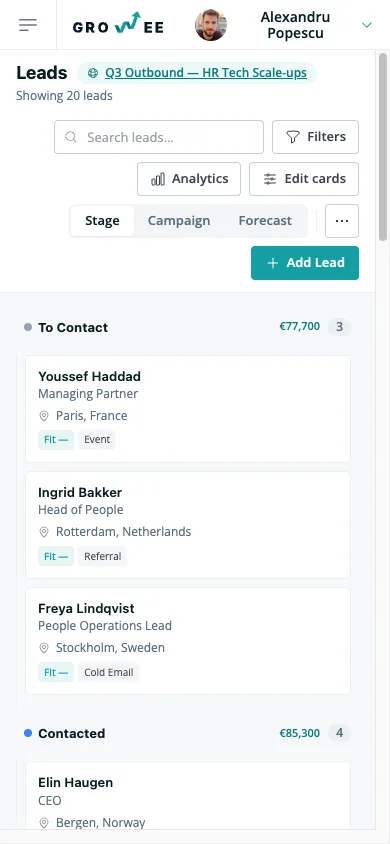
The same pipeline, on your phone
Check the board, open a lead, or read the numbers from wherever you are: no separate app to install.
Frequently asked questions
Is CRM included in my plan?
Yes. CRM is part of Growee, not a separate product or a separate bill. If you already have a Growee login, the pipeline is one click away in the sidebar.
Does this replace my existing CRM?
For most teams, yes: leads, deals, campaigns, and reporting all live in Growee already. Import your existing pipeline with the CSV template and keep working from one login instead of two.
How does email logging work?
BCC one address on any thread (a proposal, a follow-up, a reply) and Growee reads it and logs it to the right lead's timeline automatically. No forwarding, no copy-pasting into a note.
What does the AI see, and is my data private?
The AI works only with your tenant's data, scoped the same way the rest of Growee is: no cross-tenant access, ever. We don't use your CRM data to train models, and everything stays inside the same data boundaries Growee already applies to your HR data. If you need details for a GDPR review, our data processing terms cover exactly what's stored and where.
Can I import from a spreadsheet or LinkedIn?
Both. Upload a CSV with the template for bulk imports, or pull a single lead straight from a LinkedIn profile in one click. Either way, the lead lands in your pipeline ready to work, not as a bare row you have to clean up.
Turn leads into clients, starting today
Set up your first campaign in minutes: no new login, no new tool to learn.